Quick Start
Bu içerik henüz dilinizde mevcut değil.
A project is the machine. This is what it holds, and the order you build it in.
The project tree
Section titled “The project tree”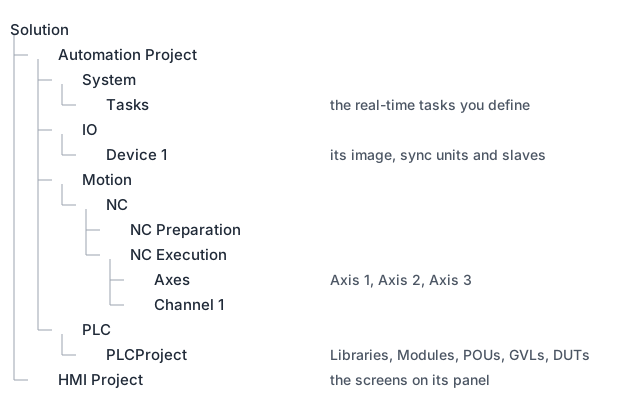
Everything the machine is sits in this tree. Configuring a machine is filling it in.
The order of work
Section titled “The order of work”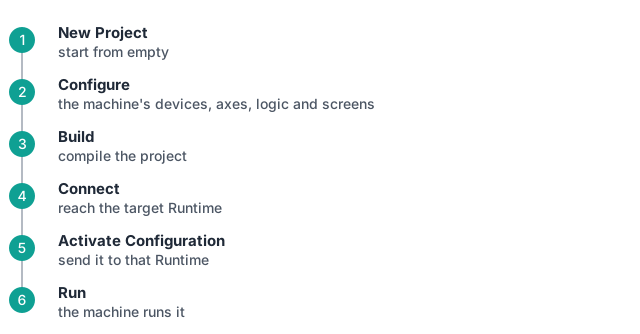
A target is an address and a port: 127.0.0.1:14522 for a Runtime on this PC.
Where to go next
Section titled “Where to go next”- The Project: what each node holds.
- PLC: writing the logic.